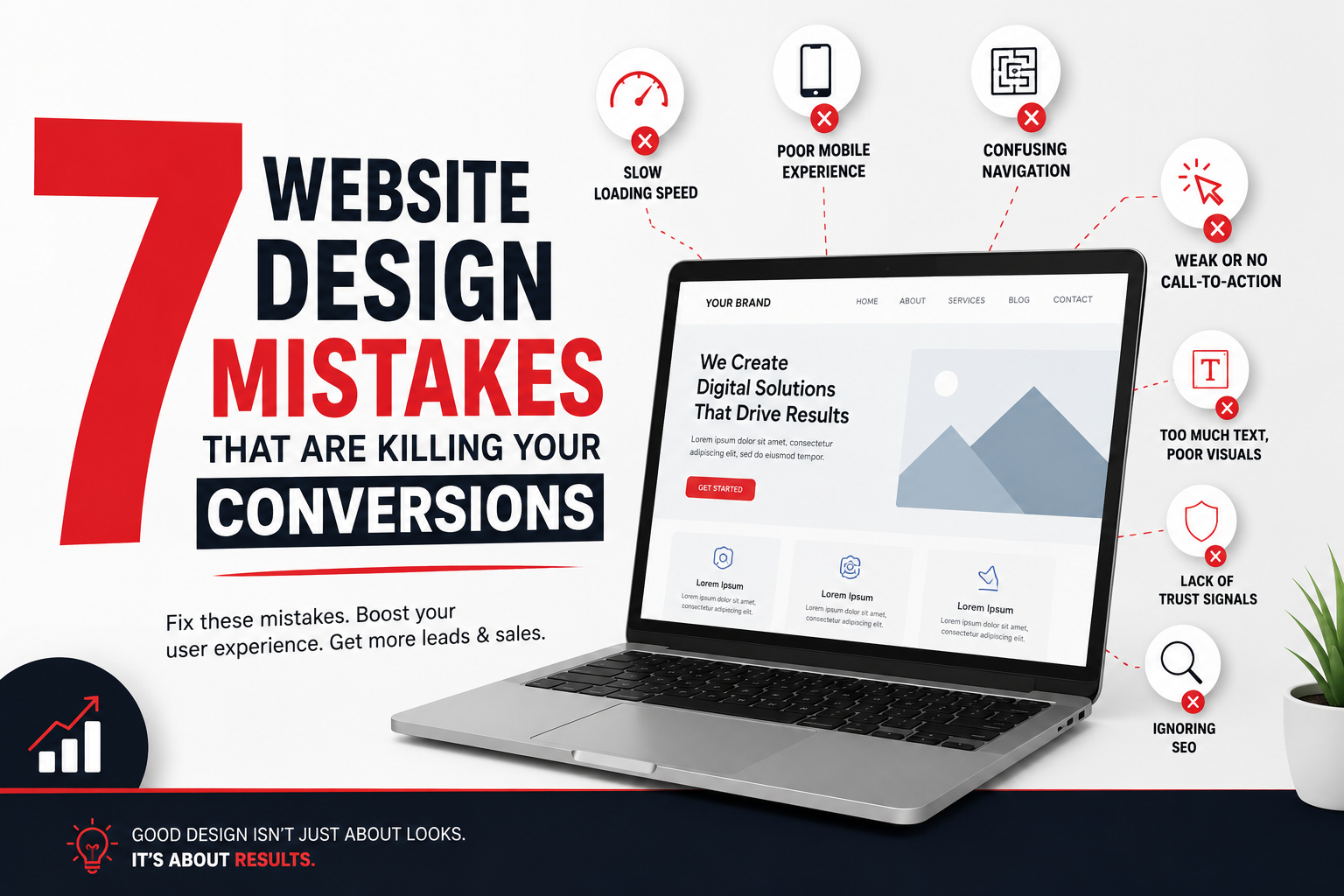
7 Website Design Mistakes That Are Killing Your Conversions
Your website is more than just an online presence—it’s your 24/7 salesperson.
No matter how much you spend on Google Ads, Meta Ads, or SEO, if your website fails to convert visitors into customers, you’re losing money every single day.
Research shows that users form an opinion about a website in just a few seconds. A poor user experience can cause visitors to leave before they even learn about your business.
Let’s explore the seven biggest website design mistakes that silently kill your conversions—and how you can fix them.
1. Slow Website Loading Speed
Imagine clicking on a website and waiting five or six seconds for it to load.
Most visitors won’t wait.
A slow website creates frustration and increases bounce rates. Search engines like Google also consider page speed a ranking factor, meaning a slow site can hurt your SEO performance.
Common Causes
- Large unoptimized images
- Poor hosting
- Too many plugins
- Unnecessary scripts
- No caching
How to Fix It
- Compress images before uploading
- Use a Content Delivery Network (CDN)
- Enable browser caching
- Choose reliable hosting
- Remove unnecessary plugins
Result: Faster loading improves user experience, SEO, and conversions.
2. Poor Mobile Experience
Over 60% of website traffic now comes from mobile devices.
Yet many business websites still look perfect on desktop but become difficult to use on smartphones.
Common mobile problems include:
- Tiny text
- Buttons too close together
- Broken layouts
- Slow loading
- Hard-to-fill forms
Google prioritizes mobile-friendly websites in search rankings.
Best Practices
- Responsive design
- Large clickable buttons
- Readable fonts
- Simple navigation
- Fast loading pages
A mobile-friendly website keeps visitors engaged and increases inquiries.
3. Confusing Navigation
Visitors should never have to “figure out” your website.
If users cannot find your services or contact information within a few clicks, they will simply leave.
Signs of Bad Navigation
- Too many menu items
- Hidden pages
- Complicated dropdowns
- Poor page hierarchy
Keep Navigation Simple
Include only essential pages such as:
- Home
- About
- Services
- Portfolio
- Blog
- Contact
Make it effortless for users to reach their destination.
4. Weak or Missing Call-to-Action (CTA)
Visitors often like what they see but don’t know what to do next.
Without a clear CTA, your website loses potential customers.
Instead of generic buttons like:
❌ Submit
Use action-oriented CTAs like:
- Get Free Quote
- Schedule a Consultation
- Book a Demo
- Contact Our Team
- Start Your Project
- Download Free Guide
Place CTAs throughout the website, not just on the contact page.
5. Too Much Text, Too Little Visual Hierarchy
Walls of text overwhelm visitors.
People scan websites rather than reading every word.
Use:
- Clear headings
- Short paragraphs
- Bullet points
- Icons
- Images
- White space
Visual hierarchy helps visitors quickly understand your message.
Remember:
Don’t make users work to find information.
6. No Trust Signals
Visitors won’t buy from a business they don’t trust.
If your website lacks credibility, conversions will suffer.
Add Trust Elements Like:
- Customer testimonials
- Google reviews
- Client logos
- Case studies
- Awards
- Certifications
- Years of experience
- Secure HTTPS connection
- Contact details
These reassure visitors that your business is legitimate and reliable.
7. Ignoring SEO During Website Design
A beautiful website is useless if no one can find it.
Many businesses focus only on appearance while ignoring search engine optimization.
SEO Essentials
- Optimized page titles
- Meta descriptions
- Heading structure (H1-H3)
- Image alt text
- Internal linking
- Fast loading speed
- Mobile responsiveness
- Schema markup
A website should be designed for both users and search engines.
Bonus Tip: Measure Everything
You can’t improve what you don’t measure.
Install tools like:
- Google Analytics
- Google Search Console
- Microsoft Clarity
- Heatmaps
- Conversion tracking
These tools reveal where visitors drop off and help you optimize your website continuously.
Final Thoughts
Your website isn’t just a digital brochure—it’s one of your most valuable business assets.
Even small design mistakes can lead to lost leads, lower sales, and missed growth opportunities.
By fixing these seven common issues, you can create a website that not only looks professional but also converts visitors into paying customers.
Whether you’re launching a new website or improving an existing one, focus on speed, usability, trust, mobile responsiveness, and clear calls-to-action. The result is a better user experience and a higher return on your marketing investment.
Frequently Asked Questions (FAQs)
1. Why is website design important for conversions?
A well-designed website builds trust, improves user experience, and guides visitors toward taking action, resulting in more leads and sales.
2. How can I improve my website’s conversion rate?
Optimize loading speed, simplify navigation, create strong CTAs, improve mobile responsiveness, and add trust signals like testimonials and reviews.
3. Does website speed affect SEO?
Yes. Google considers page speed a ranking factor, and faster websites generally provide a better user experience, improving both rankings and conversions.
4. What is a responsive website?
A responsive website automatically adjusts its layout and content to provide an optimal experience across desktops, tablets, and smartphones.
5. How often should I redesign my website?
Most businesses should review and refresh their website every 2–3 years or whenever user behavior, branding, or technology significantly changes.
Need a Website That Actually Converts?
At BrandingDev, we design high-performance websites that combine stunning visuals, SEO best practices, and conversion-focused strategies to help businesses generate more leads and sales.
Ready to grow your business? Contact BrandingDev today for a free website audit and consultation.